Digital model
In development
Piesau Viaduct
Revision 0.2
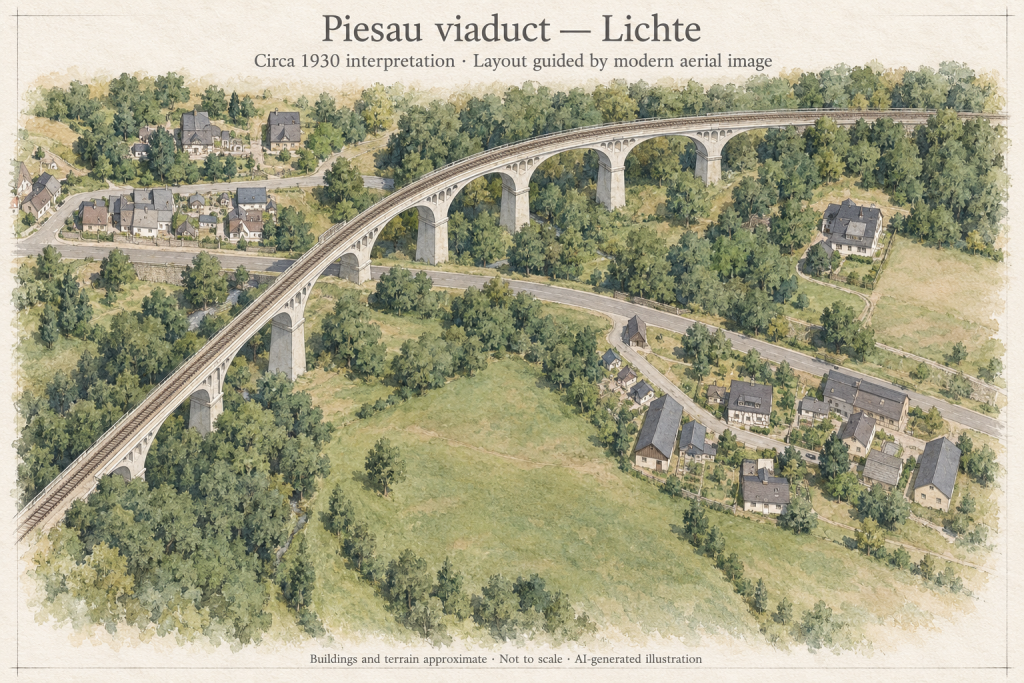
A modular N-scale railway viaduct based on the Piesau valley crossing near Lichte.
- Delivery
- Digital files
- Updates
- Versioned releases
- Licence
- Personal use
Development preview — this model is not available for purchase yet.
Secure Stripe checkout · private digital download
← Back to all models
Model details
Railway infrastructure · N scale · Revision v0.2 · In development
The proportions and rhythm of the Piesau viaduct.
The project uses the known dimensions and repeating structure of the real crossing while adapting thin masonry details, railings and joins for modular FDM construction.
Current revision
v0.2 develops straight and curved modular variants, railing prototypes and guard-rail components from the original Fusion model.
Development scope
- Modular piers, arches and deck sections
- Straight and curved development variants
- Balcony, cornice and railing components
- Not yet a complete kit for arbitrary layout geometries
Verification status
An earlier physical bridge build is documented. The current modular v0.2 variants have not all been print- and assembly-tested, so this revision is not available for purchase.
Before it reaches your workbench
A few useful things to know.
Is this a physical model?
No. This catalogue is for digital model files, not a printed kit. When a release is available, its listing will describe the files and documentation included in the download.
Which scale and printer should I use?
Check the model details and release notes for the available scales and tested print settings. Use a scale-specific version where supplied: small features and assembly clearances do not always work when a model is simply enlarged or reduced.
Does the picture show a finished print?
Model previews may be digital renders. Refer to the image description and release notes to distinguish a digital model from a physical print test. Development previews are not a promise that every part has been printed.
What should I keep after downloading?
Keep a backup of the original release package together with its version number, licence and assembly notes. Read the instructions before arranging the parts in your slicer.